CHAPTER II · APPENDIX / FIELD NOTES

BAD IS A
TEACHER

Bad UI / Good Lessons and Bad UX / Good Lessons: one editorial body of work. Real interfaces, real objects, real fixes. Visual storytelling first; the explanation is there when you want it.

BAD UI / GOOD LESSONS

Five real interfaces, five quiet failures. This is design criticism as practice: name what breaks, say exactly how to fix it. No product was harmed; every lesson was kept.

Eshret Omor prepaid bundle screen: no way back

01 · Telecom / Iraq

Eshret Omor, Asiacell

THE PROBLEM

Feedback and consistency break down: the back icon is missing and the phone's own back button doesn't work, so trying to return just refreshes the same page.

THE FIX

Add a back button. The user stays in control, able to undo or return from an action.
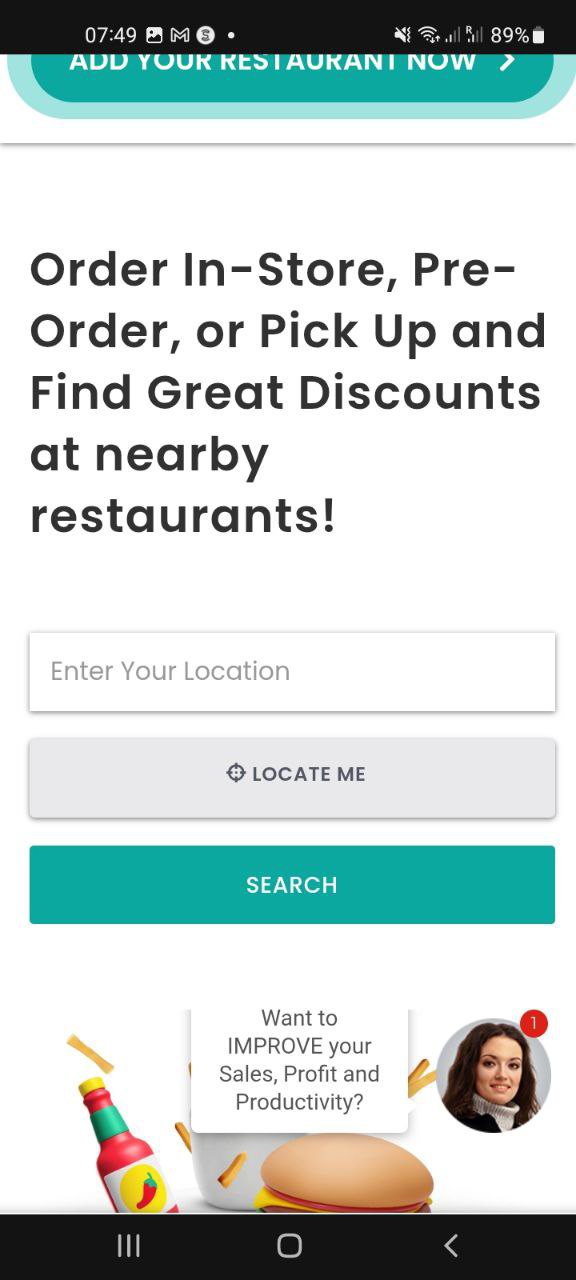
FoodChow locate-me screen: the button does nothing

02 · Food / Delivery

FoodChow

THE PROBLEM

The whole concept is ordering nearby, yet “Locate me” does nothing. A consistency and feedback failure on the one action the product exists for.

THE FIX

Make “Locate me” actually work, and swap it with search: search is the primary action and should hold the primary color.

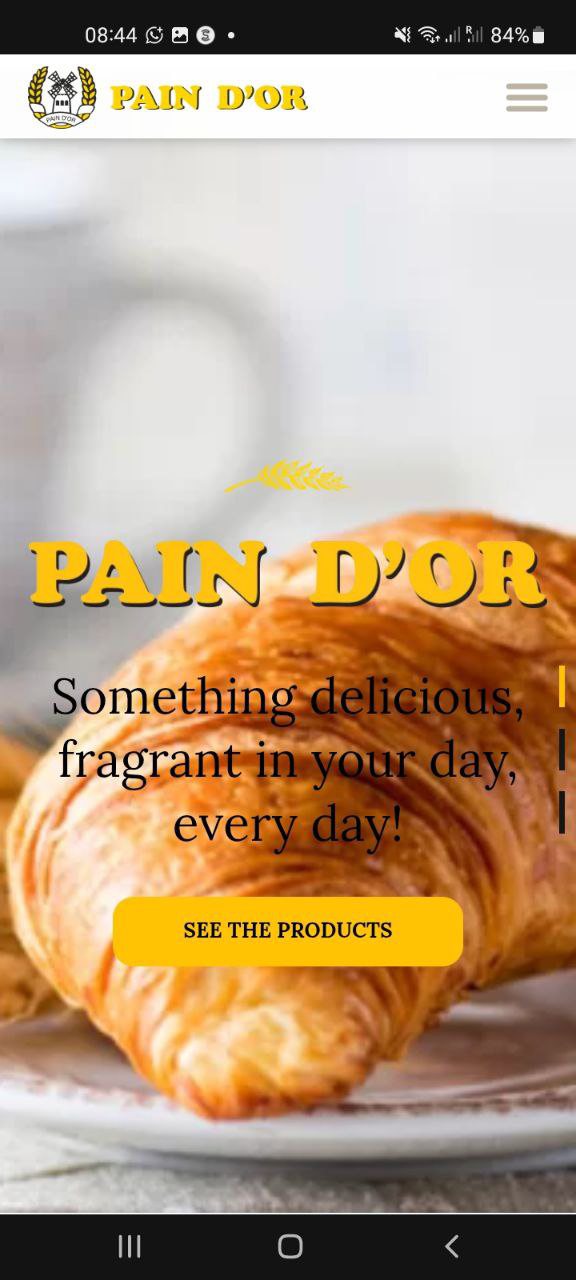
Pain D'or website: inconsistent hierarchy and an untranslated button

03 · Bakery / Retail

Pain D'or

THE PROBLEM

Consistency and hierarchy issues across the site, and the navigation hides an untranslated “BG” (Bulgarian) item styled as a primary button. Black text sits uncomfortably directly on the imagery.

THE FIX

Replace the language label with an Earth icon beside “EN”, and give the text a containing box so it reads comfortably over the image.

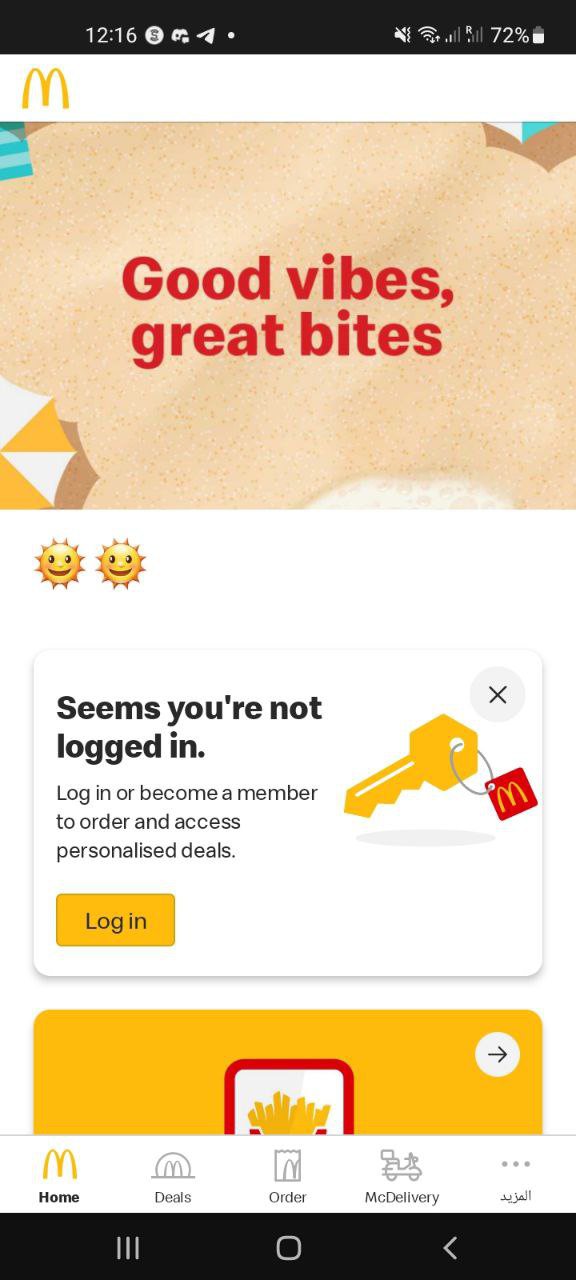
McDonald's app header: off-brand imagery and a forced sign-up wall

04 · Fast Food / Global

McDonald's

THE PROBLEM

Clarity and user control: the header leans on a beach illustration that has nothing to do with food, and browsing deals or ordering is gated behind a mandatory log-in / sign-up.

THE FIX

Make the header food-relevant (a burger offer beats a beach). Let people browse before asking them to create an account.

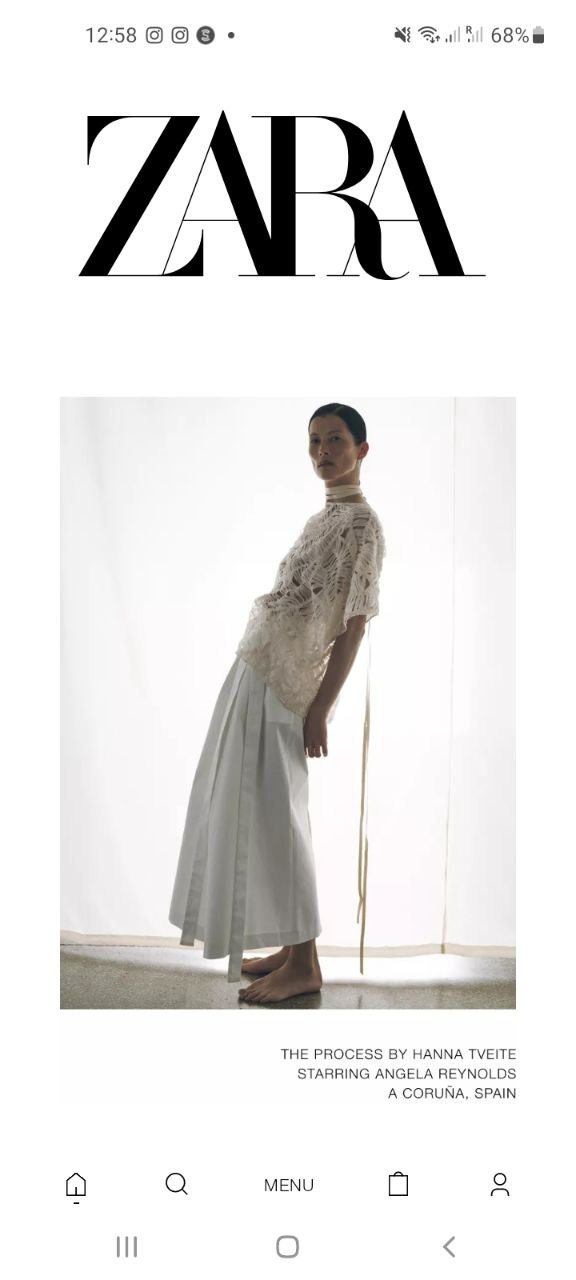
Zara splash screen: oversized logo, stray navigation, inconsistent imagery

05 · Fashion / Global

Zara

THE PROBLEM

Inconsistent elements and lost user control: buttons don't respond, the logo dominates where reading should start, and a footer navigation bar drifts onto the splash screen.

THE FIX

Move the logo smaller to the top-left (users read left to right), let the title outrank the subtitle, and remove the footer bar from the splash while unifying the imagery.

COMMON UI ISSUES ACROSS THE FIVE

  • Missing or inconsistent back buttons

    No clear way to return to the previous step, so navigation control quietly disappears.

  • Unclear or repeated CTAs

    Multiple call-to-actions with vague or identical labels confuse users and weaken focus.

  • Inconsistent layout and alignment

    Text, images and buttons misaligned: the interface reads cluttered and unbalanced.

  • Lack of visual hierarchy

    Everything competes at once: headlines look like body text, buttons melt into the background.

  • Placeholder or broken content

    Untranslated items and absent information damage trust, especially where money is involved.

THE SOURCE DOCUMENT · 5 Examples of Bad UI Design ↗

BAD UX / GOOD LESSONS

Three objects and three interfaces. UX doesn't start at the screen. It starts anywhere a person meets a design and has to fight it. Same method every time: name the fight, design it away.

A classic open glass ashtray: one breeze from disaster

01 · Physical Object

Glass Ashtray

THE PROBLEM

The classic open-top design has no lid or windshield: the smallest breeze from a fan, window or AC sends ash flying over everything nearby. Most plastic ashtrays solved this; glass never did.

THE FIX

A transparent heat-resistant lid with access flaps or a turning top, and a double-layer body where ash falls into a closed lower chamber: retro look, contemporary behavior.

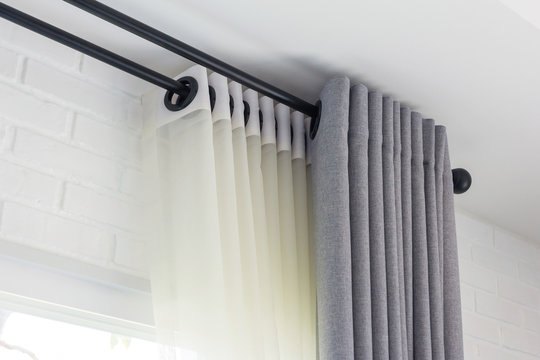
Curtain rings sliding loose off their rod

02 · Physical Object

Curtains with Sliding Rings

THE PROBLEM

The rings loosen and fall off the rod, misalignment makes the curtain hard to open and close, and since it's used daily it needs constant fixing and re-attaching.

THE FIX

Sew the rings in. Sewn rings survive daily use: nothing to fall off, nothing to re-attach.

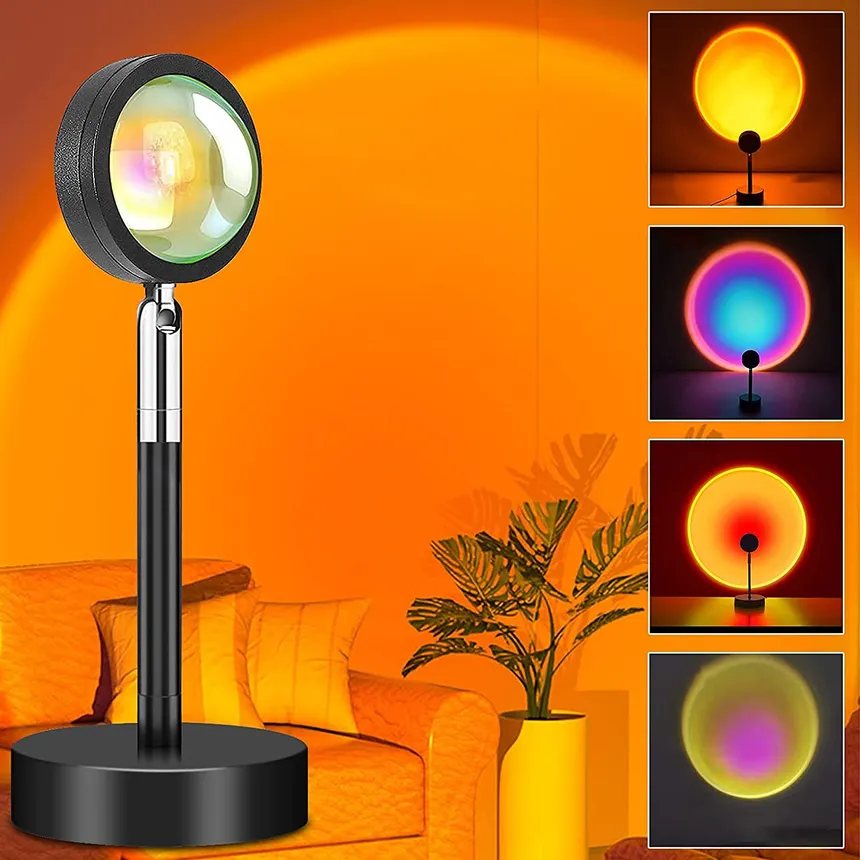
A sunset projection lamp: fires up straight into your eyes

03 · Physical Object

Sunset Lamp

THE PROBLEM

It switches on the moment it's plugged in, flashing directly into your eyes, and offers no adjustment of the projection: the circle is fixed, never wide or narrow.

THE FIX

A switch that stops the auto-on, and a swappable filter ring around the light for wide or narrow projection.

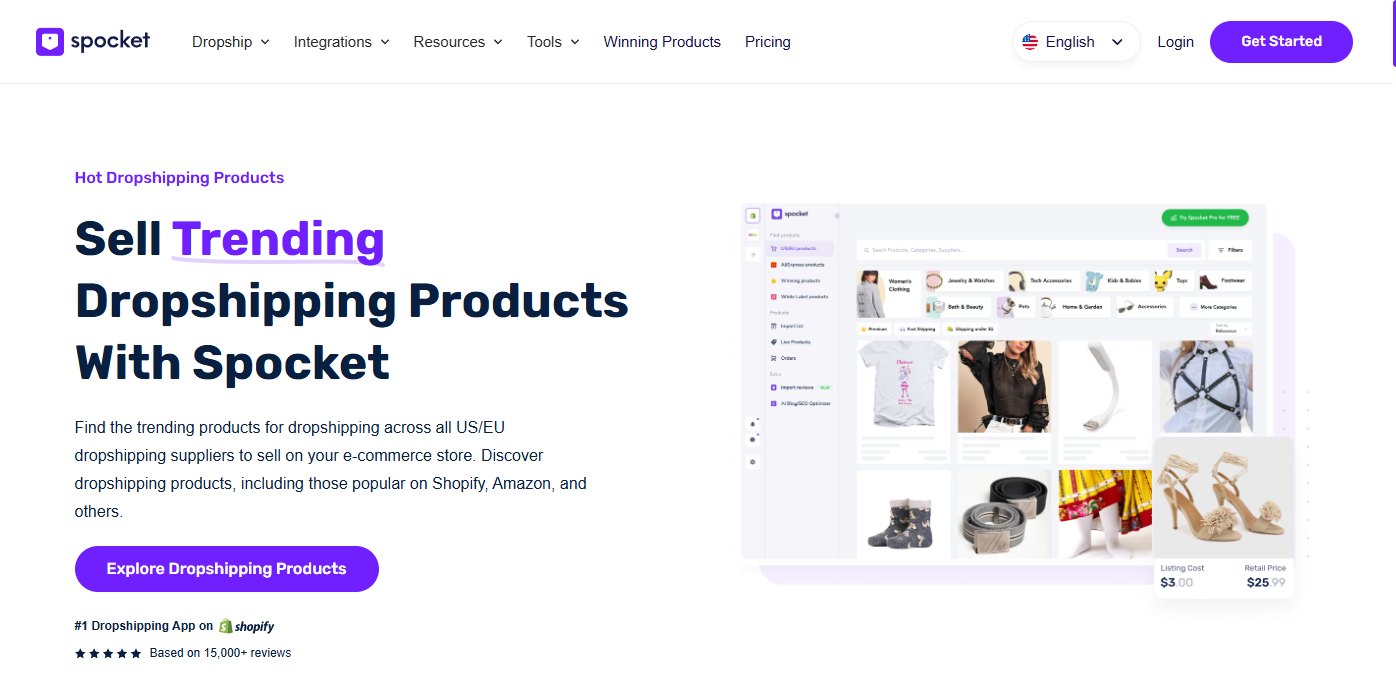
Spocket website: the explore button leads to a paywall

04 · E-commerce / SaaS

Spocket

THE PROBLEM

The “Exploring Dropshipping Products” button is inaccessible unless you first add a payment method, so the exploration is walled before it starts.

THE FIX

Let the explore button lead straight to the product pages. Ask for payment details when someone commits to the program, not when they're still deciding.

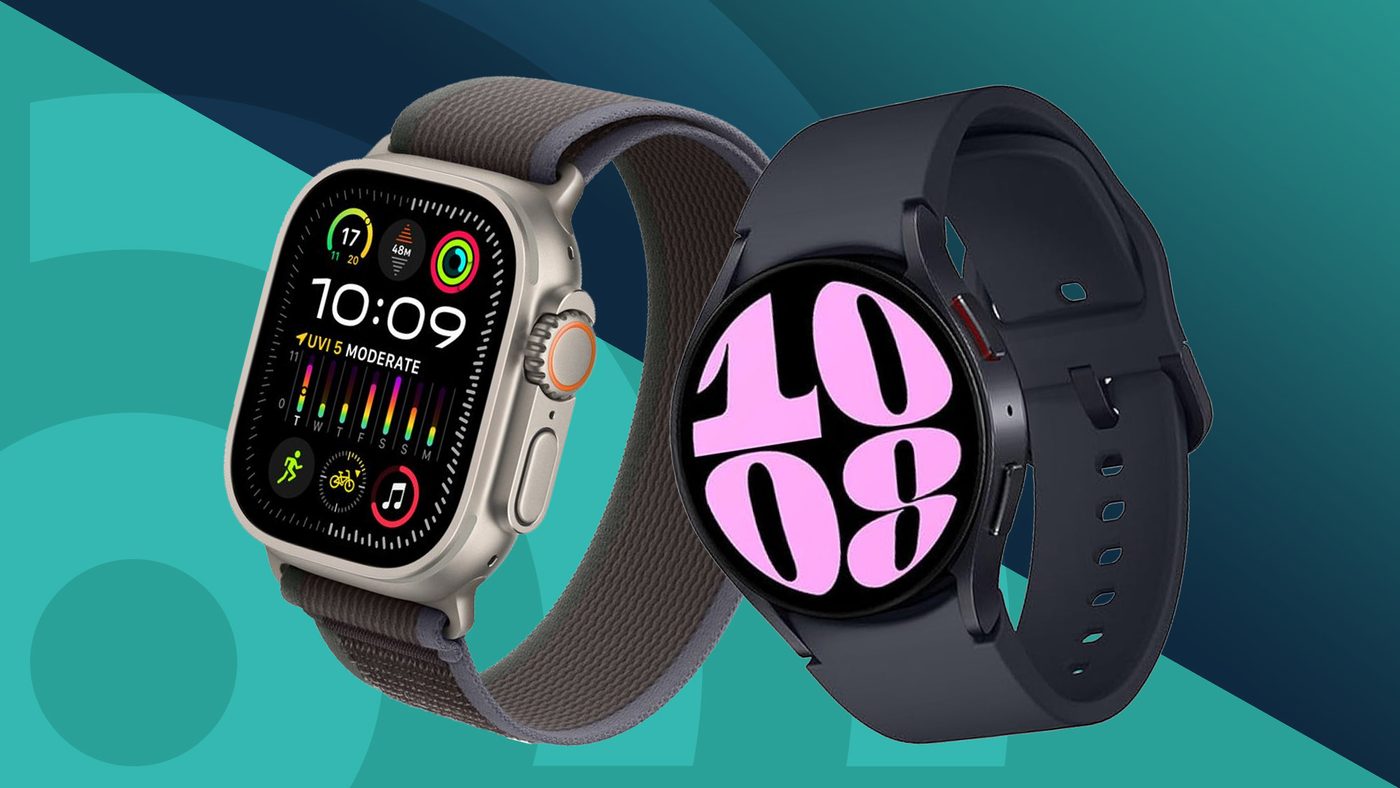
Smart watches: the companion software lives on a dead website

05 · Consumer Hardware

Smart Watch Software

THE PROBLEM

Pairing is only half the setup: the companion software usually lives on a Chinese-language or discontinued website, so even the discontinued app is a struggle to download.

THE FIX

Support at least an international language, and keep the software alive for as long as the product is on shelves. A slight investment here is a huge difference in sales.

Optimal JM website: two contact CTAs fighting for attention

06 · Services / Web

Optimal JM

THE PROBLEM

Two “Contact us” CTAs compete on one screen, and the gradient button colors fail the contrast they need to be readable.

THE FIX

Keep one CTA, the top one, and recolor the buttons away from the gradient to values that actually hold the contrast.

THE SOURCE DOCUMENT · 6 Bad UX Examples ↗