Bad UI / Good Lessons
“Every broken screen is a free lesson. Somebody already paid for it — the least a designer can do is take notes.”
The series
Bad UI / Good Lessons is a self-initiated UI/UX study, not a commissioned redesign. Five real, shipped interfaces — a telecom bundle screen, a delivery app, a bakery website, a global fast-food app, a fashion splash screen — are taken apart one at a time: what breaks, why it breaks, and the smallest fix that would repair it.
The honesty rule is the method: no invented clients, no imagined metrics, no redesign theatre. Each teardown names a failure that is visible in the shipped product itself, and proposes the fix the interface is already asking for. The original documents ship with the studio's field notes, and a companion study — Bad UX / Good Lessons — extends the same method to physical objects.
What keeps breaking
Five different products, five unrelated teams — and the same five failures keep surfacing. That repetition is the finding: bad UI is rarely exotic, it is the same small neglects compounding:
- Missing or inconsistent back buttons — no way to return, so navigation control quietly disappears.
- Unclear or repeated CTAs — vague or identical labels confuse users and weaken focus.
- Inconsistent layout and alignment — the interface reads cluttered and unbalanced.
- Lack of visual hierarchy — everything competes at once; headlines read like body text.
- Placeholder or broken content — untranslated items and absent information damage trust, especially where money is involved.
The lessons
Every lesson is stated as the fix, so the series teaches by repair rather than by complaint:
- Give users a way back. A visible back control keeps the user in command of the flow.
- One primary action per screen. The main action earns the primary color; everything else steps aside.
- Contain text over imagery. A quiet box behind the words keeps them readable on any photo.
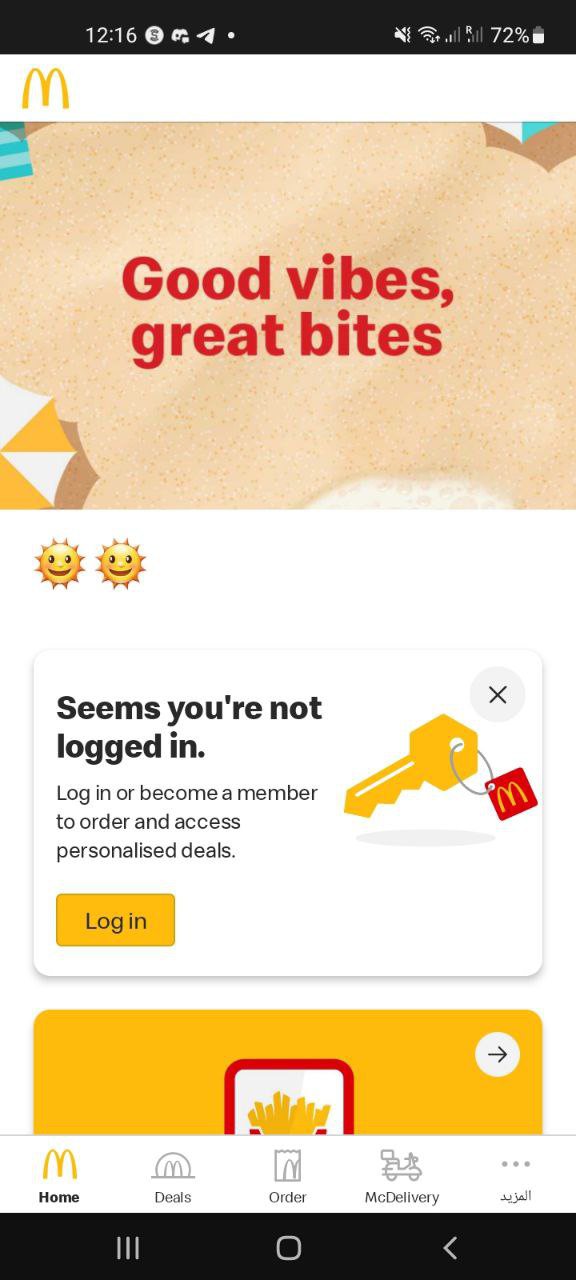
- Let people browse before asking for an account, and keep header imagery on-brand.
- Right-size the logo, rank the title over the subtitle, and keep footer bars off splash screens.
Teardowns
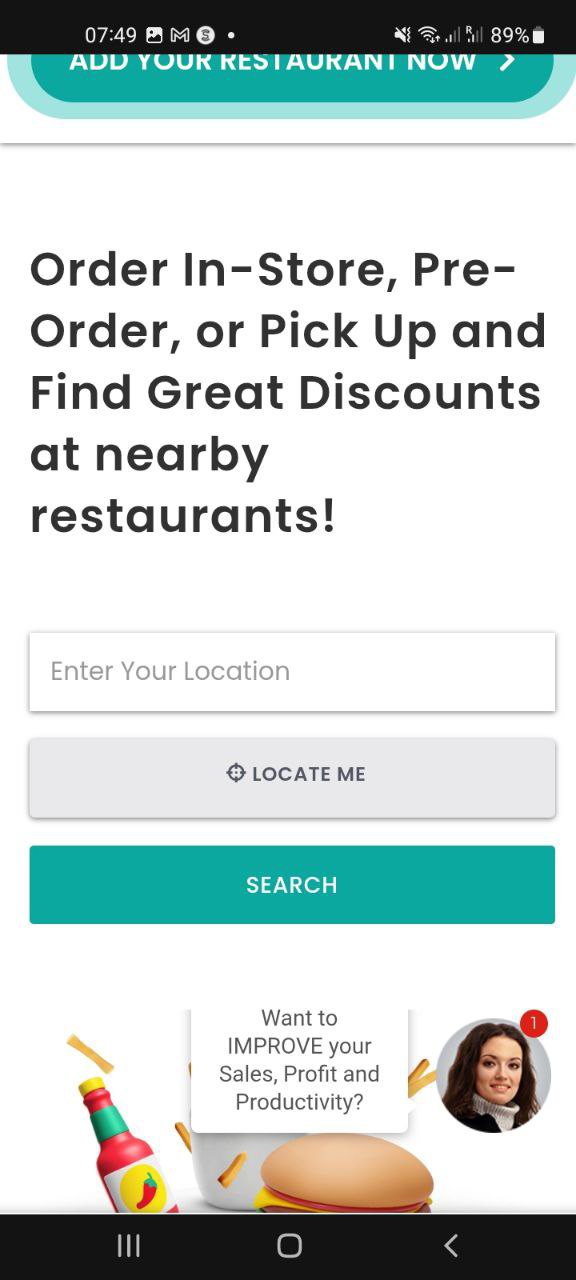
Three of the five teardowns, shown as shipped: the delivery app whose “Locate me” does nothing on the one screen where location is the product; the fast-food app that gates browsing behind a sign-up wall; the fashion splash where the logo outranks the content.